
How to Search Cases by Name
The North Carolina eCourts Portal is the main way into a Wake County case lookup. Its Smart Search screen spans every county on the Odyssey system. So after you enter basic criteria, narrow things with the Location option. Anonymous public use costs nothing. Registering is optional. It only lets you save cases in My Cases. It does not grant filing rights or open restricted material.
Try an exact name first. The official format is last name, then first name. Smart Search defaults to searching by case number or party name. The advanced guide warns against the Advanced Filtering Party Name search type as a main method. It limits results and skips wildcards. A Wake County case lookup works best when you start with a plain name or number. Add filters only to tighten that search.
- Open the Portal and select Smart Search. Enter the person’s name in last-name, first-name order for a Wake County name search.
- Select Submit. If the result is broad, use Advanced Filtering Options after the basic search and select Wake County as the location.
- Narrow by category, case type, status, filing-date range, or the available date-of-birth range. Public results mask the date of birth.
- Select the underlined case number to open the public Register of Actions, also called the Case Summary.
- Use the returned case number for a Clerk question, a hearing check, or a request for a court-file copy.
Wildcards have limits. For a person, type at least three last-name characters plus *, and at least one first-name character plus *. A business or nickname wildcard needs four characters or more before the *. Select Business Name in Advanced Filtering. Those rules match how the Portal actually behaves for a Wake County search.
Name results come out strongest when the spelling is right and the Wake County location is set. A filing-date filter can shrink a broad name result fast. Status and case-type filters offer another tight path. Once a matching record appears, save the result number.
Wake County Case Search Filters
Smart Search is the Portal's front door. The Register of Actions gives the detailed Wake County case view. According to the Portal training and resources page, the system offers case searches, public case information, hearing information, and related tools. One caution matters here. Advanced filters refine a basic search, and they cannot replace it.
| Field or control | Type | Required | Wake County use |
|---|---|---|---|
| Smart Search criteria | Text | One basic criterion | Default search uses a case number or party name. |
| Advanced Filtering Options | Expandable panel | Optional | Use after basic criteria to narrow a Wake County result. |
| Filter by Search Type | Dropdown | Optional | Includes Case Number, Party Name, Business Name, Citation Number, and other guide examples. |
| Location / General Options | Dropdown | Optional | Select Wake County for a local focus. |
| Party Search Criteria | Text and date filter | Optional | Name and date-of-birth filtering; public DOB is masked. |
| Case Search Criteria | Dropdown and date controls | Optional | Category, case type, status, and filing-date range. |
| Case Category | Dropdown | Optional | Civil Actions, nonconfidential Special Proceedings, Estates, or Criminal Actions. |
| Case Type | Dropdown | Optional | Values depend on the selected category. |
| Case Status | Dropdown | Optional | Examples include Pending, Disposed, Appealed, Reopened, Remanded, and Trial De Novo. |
| Filing Date From / To | Date fields | Optional | Restricts the filing-date range. |
| Submit | Button | Yes to search | Runs the requested lookup. |
| Underlined Case Number | Result link | Not applicable | Opens the Wake County Case Summary. |
| My Cases | Tab | Login feature | Optional saved-case feature, not elevated access. |
An official Portal training source shows the state system that hosts the Wake County case search.
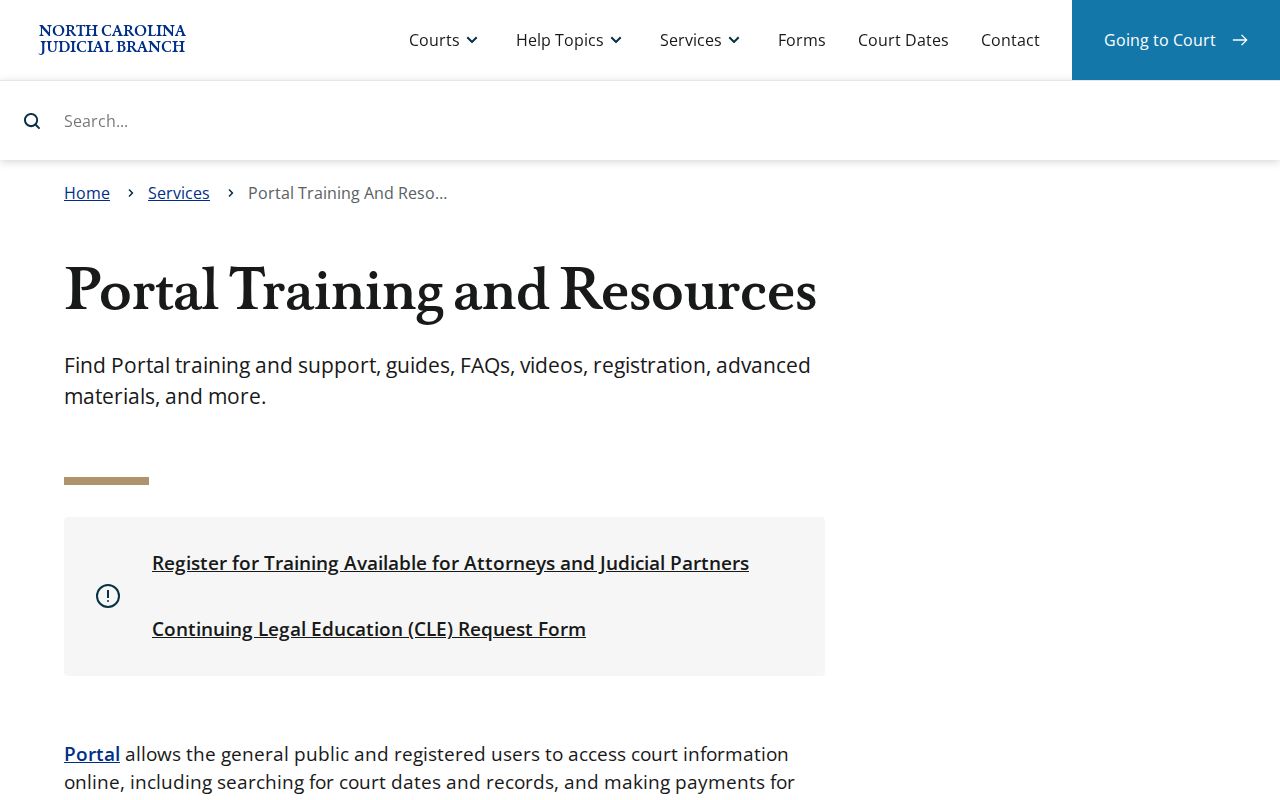
Does a search field or result type look unfamiliar? That training resource is a sensible first stop.
Accuracy in the Portal comes from a narrow basic search. A case number beats a broad name query every time. The Wake County location filter focuses results. Category and status filters separate likely record families. Keep the returned number handy before moving on to a Clerk or hearing question.
How to Search by Case Number
Nothing beats a complete number for a Wake County case lookup. The Portal format runs two digits for the year, a letter for the case type, and a six-digit sequence. A three-digit county identifier completes it. Wake's identifier is 910. Official examples include 21CR000003-910. The Wake civil format looks like 25CV021587-910. Keep the final suffix intact. Dropping it can turn an exact lookup into a guess.
For a case-number wildcard, use at least four characters followed by *. Try the full number first, though. That number then ties together the Portal result, Search Hearings, and published Wake calendars. It also reaches the Wake County Clerk of Superior Court. If a number returns nothing, check each character and the county suffix. Do not assume the court has no record.
Some Wake County events were migrated from before February 13, 2023. Those events may display a 12:00 AM time. That is just a conversion quirk, not proof of a midnight hearing. Read the Case Events around it, or ask the Clerk for the correct record path.
Wake County Case Result Limit
A broad name search can match more than 200 cases. The official guide says Portal returns a maximum of 200. Seeing that 200-result message does not mean only 200 matches exist. It means your Wake County case search needs a tighter query. Add the Wake location, a category or type, a status, or a filing-date range. Any other permitted date filter works too. Do not treat the first result set as complete.
No matches? Check the spelling, the format, and the county selection. Then ask whether the case was transferred, delayed, sealed, confidential, or otherwise restricted. Case Summaries and public document images usually become viewable within minutes after Enterprise Justice upload. Daily volume and processing can slow that down. A different access channel beats a conclusion drawn from one failed Portal search.
Note: the 200-result limit is a search-interface limit. It is not a count of cases. It is not a finding that no other Wake County records exist.
Wake County Case Search Categories
Smart Search in Wake County sorts case types into categories. You enter the basic criteria first. Civil Actions, nonconfidential Special Proceedings, Estates, and Criminal Actions are the documented options. Pick a category first. The Case Type choices you see depend on it. That filtering matters for a Wake County docket search. A civil filing, an estate, a special proceeding, and a criminal matter each carry different public fields.
- Civil Actions
- Wake County civil matters shown through the civil category and related type filters.
- Special Proceedings
- Nonconfidential probate or other special case categories that Portal can filter.
- Estates
- Wake County estate case records, subject to the fields and access rules that apply.
- Criminal Actions
- Criminal case information searchable by permitted public criteria, not a public charge search.
Status filters give a Wake County docket result extra shape. The Portal offers labels such as Pending, Appealed, Completed, Disposed, Reopened, Stayed, Remanded, Transferred to Superior Court, Transfer to Another County, Trial De Novo, and Unserved. Treat any status as a clue rather than an answer. For what actually happened in a Wake County court docket, Case Events and the Case Summary help. They carry the procedural story behind the label.
Filters have limits, too. They are no stand-in for the file itself. A Wake County civil record may show fields that a Wake County criminal record never displays. Estate and special-proceeding results sometimes point to a different Wake County Clerk route entirely. Through all of it, the Wake County case number stays your one stable reference.
What a Case Search Shows
Click a Wake County search result and the Case Summary appears. This is the public Register of Actions. It is a near-real-time view of the case history, not the Clerk-certified original. Each section shows up only when the file holds that kind of data. Causes of Action, for instance, applies to civil, family, probate, and mental-health cases. Hearings and Financial Information appear wherever those details exist in the docket. One limit to know: the Portal offers no public search by criminal charge.
| Case Information | Case number, category or type, Wake location, status, and case-level information. |
|---|---|
| Assignment Information | Assigned court and related case-assignment details where entered. |
| Party Information | Public party roles and indexed information. DOB is masked and Social Security numbers are unavailable. |
| Causes of Action | Claim category for civil, family, probate, and mental-health cases, not a criminal charge-search tool. |
| Case Events | Time-ordered docketable actions, including available service, reset, and related events. |
| Dispositions | Outcome and disposition detail. Use it with events for current context. |
| Hearings | Scheduled hearing information when it exists; cross-check it with Search Hearings. |
| Financial Information | Applicable case financial detail. Confirm current totals with the Wake Clerk. |
| Documents | Available public document images or records, never sealed or confidential material. |
Wake County Case Summary Fields
On the Portal detail page, Wake County court records use two local terms. These are Register of Actions and Case Summary. Pending simply means the case is still active. Disposed belongs to a family of end-stage statuses. Check the subtype and Case Events before assuming what occurred. Transferred to Superior Court describes movement between trial-court levels, not a final decision. And Trial De Novo means a brand-new trial. That matters when a District Court criminal matter heads up to Superior Court.
- Case Events
- Chronological actions recorded in the Wake County Case Summary.
- Disposition
- The recorded outcome or status detail for a case.
- Continuance
- A postponement; look for a newer hearing or event rather than relying on the prior date.
- Remanded
- A higher court has sent the matter back for further action.
- Reopened
- A record with later activity after an earlier conclusion or closure.
Two tools do different jobs. The NC Judgment Search is an index, one that can reflect original judgment figures. For the fuller public view, Smart Search supplies the Case Summary. Need current amounts, official copies, or a certified Wake County record? Contact the Wake County Clerk of Superior Court instead of trusting an index snapshot.
What the Case Summary shows depends on the file behind it. One Wake County record may list a hearing while another shows none. Financial details are just as case-specific. So read the Register as a structured court record. It is not a uniform form with every box filled in.
County vs Statewide Case Search
Wake County runs no separate public county docket portal beside the statewide eCourts Portal. The same North Carolina eCourts Portal covers the whole state. You narrow it to Wake County with the Location and related filters. For a public Wake County case lookup online, that Portal is the practical layer. Even so, the local Clerk still holds the actual court file. The Portal does not replace that custody.
| Access channel | What it does for Wake County | When to use it |
|---|---|---|
| eCourts Portal | Statewide public Smart Search, Search Hearings, Register of Actions, and available public materials. | Start with a case number or a narrow name search. |
| Wake Clerk counter | Routes court-file questions and issues official copies where available. | Use for certification, file inspection, or a result not available online. |
| Public self-service terminal | Available at clerk offices statewide; the file may be viewed in the case county. | Use when a public online search does not resolve the record. |
| Direct Clerk line | Wake routes traffic, felony, civil, estates, and other case families separately. | Use for category-specific help or current record routing. |
Wake County runs its case lookup through one statewide channel. There is no second local site for public docket searches. The Portal already covers Wake County records. So a Wake County docket search starts online, and most searches end there too.
Local routes still earn their keep. Need a certified copy or a result confirmed? The Wake County Clerk of Superior Court holds the record in custody. The Wake County contact directory gives the direct subject lines for reaching the right office. For the terminal and county-file options, the Judicial Branch records page spells out each alternative. Search first, then lean on local channels when the request demands them.
Wake County Case Portal Distinction
Two different systems sit behind one login screen. The Portal is the public viewing tool for Wake County court records. Portal users can review case information, current hearings, qualifying payments, and public documents. North Carolina eCourts File & Serve is something else entirely. It is the filing system for authorized electronic filings.
Sharing credentials may feel convenient. It changes nothing about what each tool does. An ordinary Portal account cannot file a document. It also grants no elevated access to a restricted Wake County case. Keeping search and filing separate prevents one task from bleeding into the other. For paper or certified records, skip both online tools. The Wake County Clerk of Superior Court handles those requests directly. The North Carolina eCourts File & Serve landing page is the official route only for filing.
Wake County Case Hearing Tool
Two Portal tasks, often mistaken for one. A Wake County case search uses Smart Search. It locates the case and opens its Case Summary. A hearing search uses Search Hearings, a separate tool built for schedules. It finds current hearing locations and times. Search by case number, party name, business name, attorney name, attorney bar number, judicial officer, courtroom, or date range.
To run it, set Wake County as the location. Pick a hearing type and a search type. Enter the matching identifier and set a date range.
Know the tool's limits. Search Hearings will not tell you whether a setting is virtual or in person. It also cannot replace the latest Case Events or the courtroom's call order. After you locate a Wake County case, cross-check its current setting there. For a hearing date that is close at hand, confirm through the responsible court. See Wake County Court Dates for guidance.
Restricted Cases and Access Rules
Openness is the default under N.C. Gen. Stat. § 7A-109. That statute puts the Clerk in charge of records, files, dockets, and indexes. These stay open unless some other law says no. Wake County's Portal follows the same rule for public case information. Sealed and confidential cases, data, and documents stay off limits to any public user. Keep this in mind too: a Portal printout is not an official court record.
Some categories never show up at all. Juvenile law-enforcement records are withheld under N.C. Gen. Stat. § 7B-3001. Protection-order and domestic-violence information carries extra display controls. Expunged or sealed records no longer appear online. So a docket search that returns nothing may just mean a misspelled name, an index delay, a transfer, a protected category, a court order, or an expunction. Treat it as a dead end, not a conclusion about the case.
Public-access boundary: Anonymous Portal use is free for public material. Registration can save cases but does not grant statutory elevated access or override a sealing order.
The same Wake County line between public and restricted applies in every Portal search. Seeing a public result does not make every Wake County document public. A restricted Wake County record sits outside ordinary Portal access. That holds no matter how the search is run. The Wake County Clerk can point you to the right record-access channel. That advice never reveals protected information.
Wake County Case History
Wake County was an early eCourts pilot, live on February 13, 2023. That local date matters. Does a case have older migrated history? Pre-go-live events can keep a 12:00 AM timestamp left over from conversion. The state eCourts page describes the Odyssey system now used across all North Carolina counties. Wake's earlier conversion is the key context for its historical events.
Suppose an older Wake County court record looks incomplete. Preserve the full case number first. Then compare the event description with the surrounding Register entries. From there, three options help. The Wake Clerk, a public terminal, or the county file can support a permitted inspection or an official copy. For anything about an upcoming hearing, cross-check Wake County Court Dates, since the current Search Hearings result beats an old migrated event.
Historical Wake County records reward a careful read. The conversion date explains odd timestamps, and the Case Events supply context around them. Does a historical entry stay unclear? A Wake County Clerk question can identify the proper file route. Keep the Wake County case number in every follow-up request.
Wake County Case Judgment Index
NC Judgment Search is another Portal research tool. Its role is narrower than Wake County Smart Search. The index covers judgment information and may reflect original judgment figures. The full public Case Summary, by contrast, can show later case events, disposition material, hearings, and applicable financial information. For a Wake County case lookup, use the judgment index as a reference point, then open Smart Search for the current Register of Actions.
Current balances and certified judgment records belong with the Wake County Clerk of Superior Court. That habit keeps an index figure from being mistaken for a complete current account, and a public web result from being mistaken for an official copy. The same distinction matters any time a Wake County record changed after the original judgment entry.